Please rotate your device
To continue exploring this website, please rotate your device to a vertical orientation


Qwen Image
Qwen/Qwen Image
Ultra-realistic text-to-image model by Qwen
image generation
The Qwen Image model is a diffusion-based text-to-image model that can generate high-quality images from text prompts. The model outputs a base64 string which can be saved locally.
Input
python
import httpx
import os
import base64
from PIL import Image
from io import BytesIO

# Replace with your model ID and API key
model_id = "your-model-id"
baseten_api_key = os.environ["BASETEN_API_KEY"]

def b64_to_pil(b64_str):
    """Convert base64 string to PIL image"""
    return Image.open(BytesIO(base64.b64decode(b64_str)))

# Example 1: English prompt
english_data = {
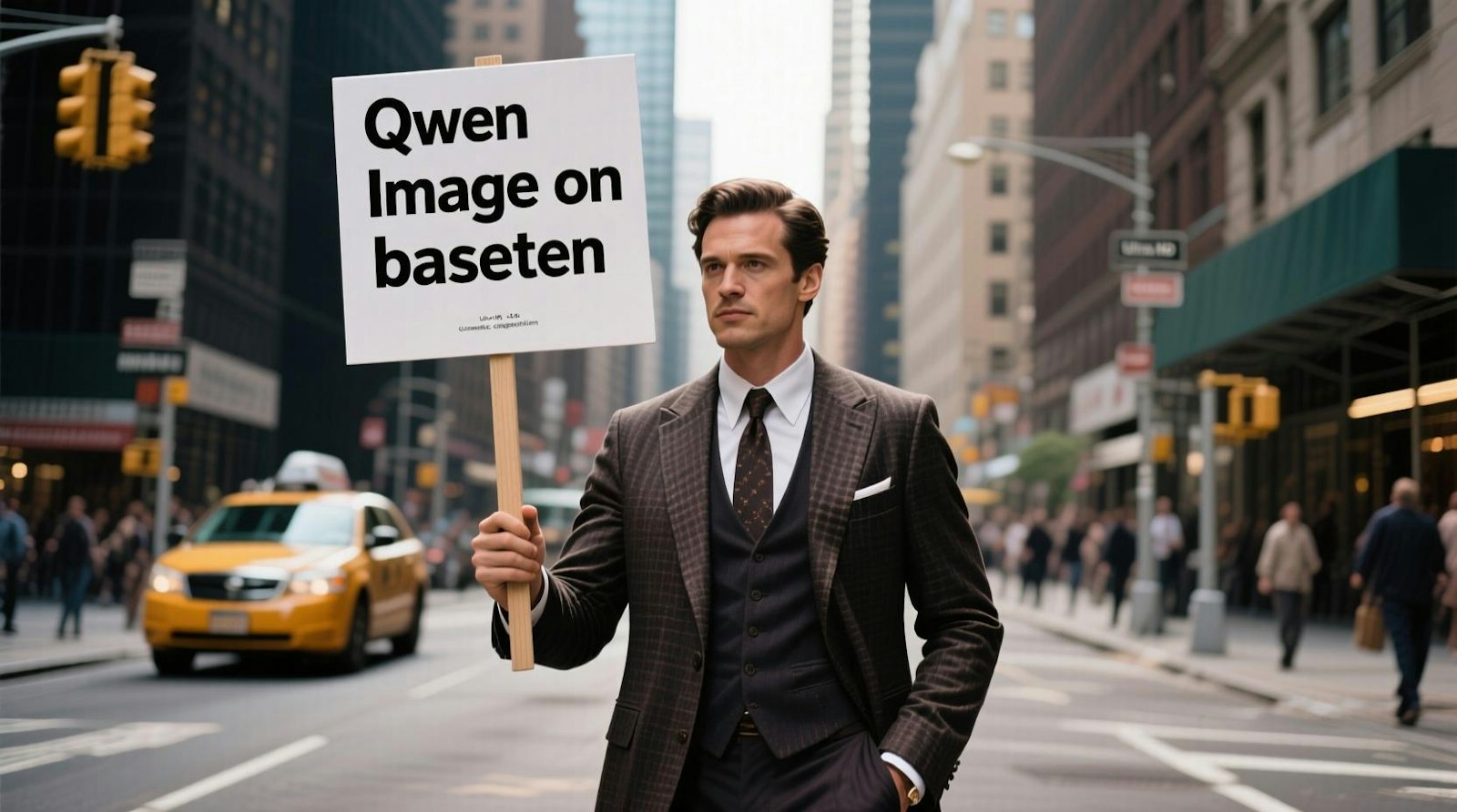
    "prompt": "A fashionably dressed man on the streets of New York City holds a sign that says `Qwen Image on Baseten`",
    "width": 1664,
    "height": 928,
    "num_inference_steps": 50,
    "seed": 42
}

# Example 2: Chinese prompt
chinese_data = {
    "prompt": "一只可爱的小猫坐在花园里,阳光明媚",
    "width": 1024,
    "height": 1024,
    "num_inference_steps": 50
}

# Call the model with extended timeout for image generation
print("Generating image... This may take a moment.")
response = httpx.post(
    f"https://model-{model_id}.api.baseten.co/development/predict",
    headers={"Authorization": f"Api-Key {baseten_api_key}"},
    json=english_data,
    timeout=httpx.Timeout(120.0)
)

# Get the result
result = response.json()
image_b64 = result.get("data")

# Convert to image and save
image = b64_to_pil(image_b64)
image.save("generated_image.jpg")
print("Image generated successfully! Saved as 'generated_image.jpg'")
Output
json
{
  "data": "base64_string"
}