Please rotate your device
To continue exploring this website, please rotate your device to a vertical orientation


Whisper Large V3 Turbo
openai/whisper-large-v3-turbo
The most performant Whisper Large V3 Turbo implementation, achieving 2400x real-time factor (1 hour of audio transcribed in 1.5 seconds).
This model is ideal for use cases like live note-taking applications, content captioning, customer support, and any real-time, voice-powered apps. Learn more about how Whisper is running faster and more accurately on Baseten in our launch blog.
Feature highlights
Configurable update cadence for the partial transcriptions delivered
Consistent real-time latency under high volume of concurrent audio streams
Automatic language detection for multilingual transcription
Transcription accuracy
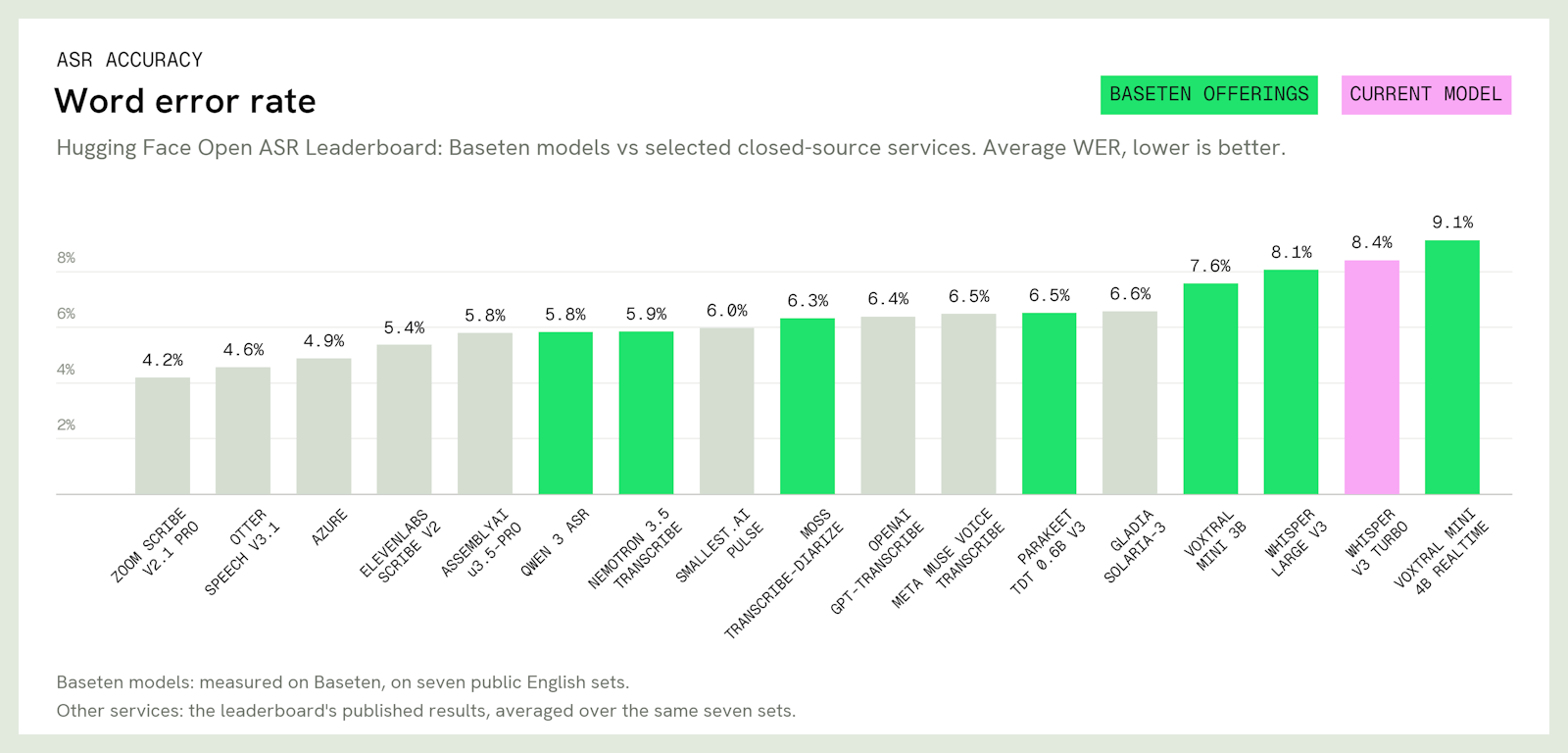
The chart below shows how this model compares with other Baseten models and leading closed-source ASR solutions on transcription accuracy. Results are measured using Hugging Face's Open ASR Leaderboard methodology, which evaluates WER (word error rate) averaged across seven public English test sets.
Real-time performance
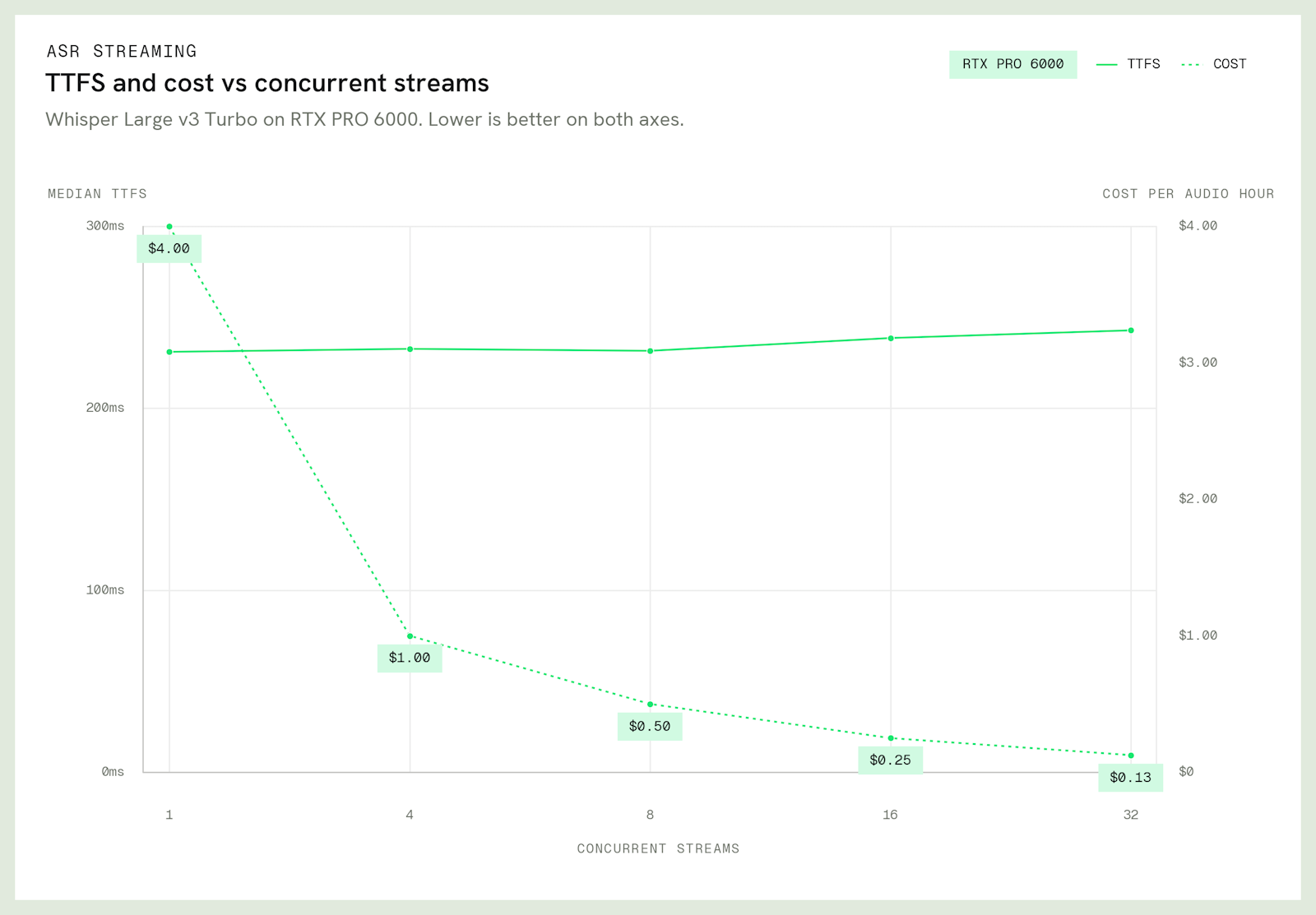
The graph below shows how TTFS (time to final segment) and unit economics (cost per audio hour) change as the number of concurrent WebSocket connections per GPU increases. Higher concurrency can significantly reduce cost per audio hour, with a corresponding tradeoff in latency.
Concurrency is configurable and can be tuned to achieve the latency and cost targets that best fit your workload and business requirements. See the concurrency guide for configuration details.
For a balance of latency and throughput, we recommend starting with RTX PRO 6000 using concurrency 32, and adjusting based on performance and cost needs based on the chart below if needed.
Batch performance
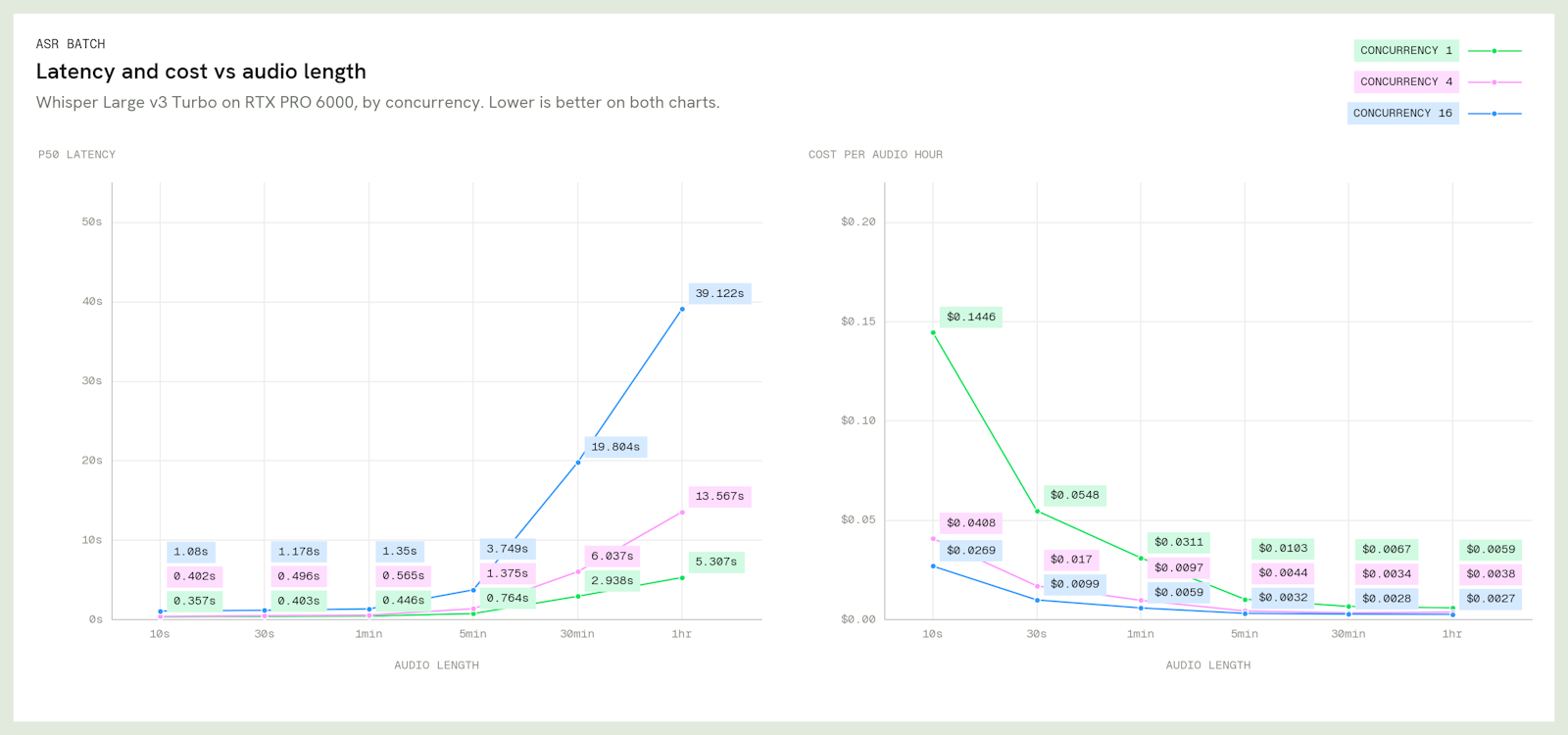
The charts below show median latency and unit economics (cost per audio hour) change with audio length when transcribing prerecorded files at 1, 4 and 16 concurrent requests per GPU. Higher concurrency significantly reduces cost per audio hour, with a corresponding tradeoff in latency that grows with audio length.
Concurrency is configurable and can be tuned to achieve the latency and cost targets that best fit your workload and business requirements. See the concurrency guide for configuration details.
For batch workloads, we recommend starting with RTX PRO 6000 using concurrency 16, and lowering it to reduce latency on longer audio or raising it to increase throughput on latency tolerant workloads
Contact us
For workload-specific optimization, you can contact an engineer for further assistance.